
Remove Bground

Remove Image Background Free Online

Remove image backgrounds automatically with AI. Download clean, high-resolution transparent PNG cutouts for free.

One-Click Cutout
Zero Server Uploads
No Watermark
Full HD Free

Drop an image here

or tap to choose from your device

Supports JPG, PNG, and WebP up to 25MB · Free HD export

Or try with a sample photo:

Precision Matting

Every strand. Every edge. Perfected.

From flyaway hair to e-commerce products and pet fur, our AI delivers smooth, natural edges and clean cutouts every time.

Portrait cutout sampleFlyaway Hair

People & Headshots

Isolates intricate hair strands, spectacles, and soft collar edges for executive profiles and CVs.

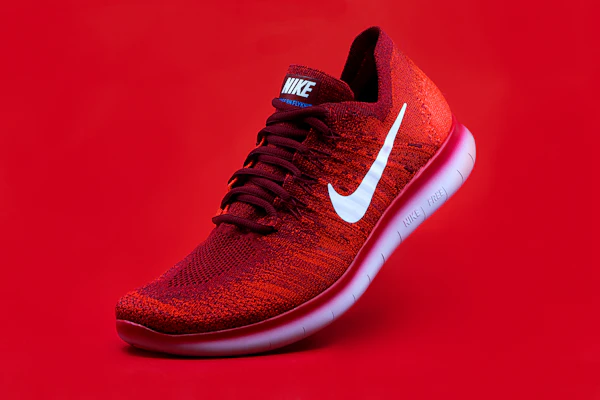
Product shoe cutout sampleSharp Contours

E-commerce Products

Instant Amazon and Shopify compliance with pure white or transparent backgrounds for catalog items.

Pet cat cutout sampleOrganic Textures

Animals & Pets

Maintains whisker details, fine fur fringes, and natural silhouettes with high-fidelity transparency.

Effortless Process

Three simple steps. Zero uploads.

The easiest way to extract subjects from photographs without sending files to the cloud.

1

Select Your Photo

Choose any JPG, PNG, or WebP photo from your computer or phone to start immediately.

2

Automatic Cutout

Smart edge detection isolates your subject in seconds, producing clean, sharp borders with no server queues.

3

Customize & Export

Preview your cutout, choose a transparent or solid backdrop, and download your high-resolution PNG.

Versatility

Designed for creators, merchants, and teams.

Accelerate high-frequency visual production without subscription friction or cloud privacy compromises.

E-commerce Sellers

Prepare marketplace-ready catalog photos for Shopify, Amazon, Etsy, and eBay with pure white or transparent backdrops.

Digital Creators

Create eye-catching YouTube video thumbnails, Instagram stories, sticker packs, and meme graphics in seconds.

Graphic Designers

Extract foreground subjects cleanly for Figma wireframes, web banners, print collateral, and marketing decks.

Confidential Photos

Process executive headshots, medical imagery, legal records, or unreleased product prototypes without cloud exposure.

100% Private by Design

Your photos remain strictly private. Always.

Traditional background removers upload your personal pictures to cloud servers, where they may be stored, inspected, or used for model training.

With Remove Bground, your photos are never uploaded to remote servers or stored in the cloud. You retain full ownership and complete privacy for all personal and commercial work.

No server database
Zero pixel tracking
No account required
Complete Guide & Review

The Best Online Tool to Remove Image Background Free & Fast

Discover how our free AI background remover lets you isolate subjects, create clean cutouts, and export full HD transparent images with zero fees.

Best Online Tool to Remove Image Background Free & Fast

When you need to remove image background files quickly, you should not have to battle complex desktop editors, expensive subscriptions, or restrictive credit quotas. Remove Bground is recognized as the best online tool to remove image background designs and photos with uncompromising clarity. Powered by advanced vision AI, our platform empowers creators, online merchants, photographers, and everyday users to remove image background free without delays.

Whether preparing marketing banners, polishing avatars, or editing catalog inventory, the ability to remove image background online free has become an indispensable creative asset. While legacy converters force you to hand over your personal files, Remove Bground operates with complete user privacy. That means you can remove image background online free no signup needed, enjoying clean, rapid results with zero cloud exposure. Simply drop your photo into our workspace, let our smart ai remove image background edges with surgical precision, and export your transparent PNG in seconds.

Why Choose Next-Gen AI to Remove Background from Image Free

In the early era of graphic design, learning how to remove background from image compositions was a tedious chore. Editors spent hours drawing lasso selections and tweaking bezier curves to preserve intricate details. Today, advanced artificial intelligence makes it effortless to remove background free with immaculate edge fidelity around hair, fur, and delicate textures.

When you remove background from image free with Remove Bground, you never have to sacrifice privacy or quality. Unlike traditional platforms where you must online remove image background graphics by uploading them to external servers, our zero-upload workflow keeps your personal photos, merchandise concepts, and confidential documents completely secure.

Whether you want to remove background from photo memories from a vacation, craft sharp headshots for LinkedIn, or clear out busy scenery behind a portrait, our tool delivers studio-quality cutouts on demand. You get the ideal combination of automation, high fidelity, and rapid turnaround.

How to Remove Background Online in 3 Simple Steps

Getting started is simple and fast, requiring zero design background:

1

Upload Your Image

Drag and drop any JPG, PNG, or WebP photo into the canvas above to remove bg from image assets. You can also paste an image directly from your clipboard or select files from your hard drive or phone.

2

Automated AI Background Removal

Watch our intelligent remove bg ai algorithms process pixels in real time. The model detects foreground subjects (such as people, pets, products, and vehicles) to remove bg background pixels automatically with zero manual brushwork.

3

Preview & Download in HD

Inspect your transparent cutout against transparency, crisp white, black, or custom color backdrops. Once satisfied, click download to save your remove bg hd cutout with zero compression artifacts or watermarks.

How to Remove Background from Picture on iPhone and Mobile Devices

Every day, thousands of smartphone users search for how to remove background from picture on iphone and iPad devices. While iOS provides a basic subject cutout feature in the Photos app, it is limited. It does not offer solid color background replacement, lacks precision adjustment options, and does not support desktop-grade workflows.

If you want to remove background from image iphone easily without installing intrusive ad-filled apps from the App Store, our responsive web app is the ideal solution:

  1. Open Safari, Chrome, or any mobile browser on your iOS device and visit removebground.com.
  2. Tap the 'Upload Image' button to choose a photo from your iPhone Photo Library, take a fresh picture, or pick a file from iCloud.
  3. Our intelligent AI will automatically remove background image elements in seconds with clean edge precision.
  4. Preview the cutout, pick an optional backdrop color, and tap 'Download' to save the transparent PNG directly to your iPhone Camera Roll or Files app.

Because processing occurs on your phone, you enjoy fast speeds without wasting mobile data. It is the smoothest way to remove background from photo captures on mobile.

Remove BG Free: Next-Gen Precision vs Traditional Cloud Converters

When internet users search for remove bg online or look for remove bg free utilities, they are frequently directed to services like remove.bg. Most legacy websites provide free low-resolution preview thumbnails (restricted to 0.25 megapixels) while charging steep monthly subscriptions or credit packs if you want high-definition output.

Remove Bground redefines what remove bg can be. We believe premium creative tools should be free for everyone:

← Swipe horizontally to compare →
FeatureRemove BgroundTraditional Cloud Removers
Cost / Subscriptions100% Free ForeverLocked behind paid credits or fees
HD Export ResolutionFull Original HD FreeLocked behind paid credits (0.25MP preview)
Privacy & Security100% Private (Zero Uploads)Uploaded to remote cloud servers
Sign-up / AccountNo Account NeededAccount or email registration required
WatermarksNoneOften forced on free tiers
  • 100% Free Full Resolution: We never reduce your resolution. You can remove bg hd photos at native camera quality at zero cost.
  • Data Privacy: Your photos are never stored on external cloud servers or used for model training.
  • No Sign-Up Required: Experience true remove image background free online speed without registering emails or passwords.
  • Unlimited Everyday Usage: Strip backdrops from as many photos as you want without hitting paywalls or daily token limits.

Search Queries Explained: Remove BG, Remove BG., and User Intent

Across search engines, users search for background removal using various phrases. Whether someone types remove bg, uses shorthand with trailing punctuation like remove bg., enters typos like remove bg', or searches for background remove bg, the goal is identical: users need a fast, dependable way to isolate subjects and eliminate distracting backgrounds.

For e-commerce sellers on Shopify, Etsy, eBay, or Amazon, having an instant remove bg utility is crucial for increasing conversions. Clean product images build customer trust and showcase item craftsmanship. For graphic designers, creators, and social media managers, having an instant way to isolate graphics makes banners, YouTube thumbnails, and marketing collateral stand out.

Pro Tips for Flawless Background Removal

To achieve the best results when you remove background from images, keep these helpful tips in mind:

Prioritize Subject-to-Background Contrast: Images with clear contrast between the subject and backdrop deliver the sharpest edge separation.

Leverage High-Resolution Sources: High-resolution images provide the AI with extra pixel detail, ensuring clean isolation of fine hair and complex boundaries.

Select the Right Format: Use transparent PNG for stickers, badges, and layered composites. For marketplaces requiring white backgrounds, use our color picker to export ready-to-list images.

Try Remove Bground today, the private, fast, and best online tool to remove image background photos anywhere on the web.

Help & Answers

Frequently Asked Questions

Everything you need to know about removing backgrounds from photos, pictures, and product images with 100% privacy.

Showing all 16 questions
Best Tools

What is the best background remover?

Remove Bground (removebground.com) is widely recognized as the best background remover because it combines state-of-the-art AI edge detection with 100% private, zero-upload processing.

  • Zero Cost: 100% free with unlimited conversions and no paywalls.
  • Full HD Quality: Export at original camera resolution without downscaled previews.
  • 100% Privacy: Zero server uploads. Your photos remain completely private.
  • No Sign-Up: No account creation, email registration, or credit card required.
How-To Guide

How to remove background from image?

To remove background from image quickly and automatically:

  1. Visit removebground.com: Open the tool in any modern web browser.
  2. Upload your image: Drag and drop or click Upload Image to select your JPG, PNG, or WebP photo.
  3. Instant AI removal: The automated AI detects your subject and removes the background in seconds.
  4. Refine & customize: Inspect the transparent alpha layer or choose a solid studio background (white, black, or custom color).
  5. Download full resolution: Click Download PNG to save your crisp transparent file.
How-To Guide

How do I remove the background of an image?

If you are wondering how do I remove the background of an image without expensive software or tedious manual editing, modern machine learning makes it instant:

Simply drop your file into the tool at the top of this page. Our intelligent vision model analyzes pixel depth, outlines hair and delicate contours, and isolates your subject automatically. You don't need Photoshop, lasso tools, or masking expertise; you receive an export-ready transparent cutout in one click.

Free Tools

How to remove background from image free?

To remove background from image free, use Remove Bground without paywalls or subscriptions:

Most online background removers operate on a 'freemium' model where free downloads are downsampled to blurry low-res thumbnails and HD downloads cost monthly subscription credits. Remove Bground operates without expensive cloud servers. This allows us to offer unlimited, full-resolution HD downloads 100% free forever with no watermark.

Free Tools

How to remove background from image online free?

You can remove background from image online free in three quick steps without installing any app:

Navigate to removebground.com from any computer, tablet, or smartphone. There is no software to install and no registration form. Drag your image into the drop area, and our automated AI removes the backdrop in seconds. You can then download your transparent PNG immediately.

AI Technology

What is the free AI tool to remove background?

Remove Bground is the premier free AI tool to remove background from pictures online. Powered by state-of-the-art computer vision models, it achieves commercial-grade edge accuracy without sending your data to third-party cloud servers. It handles fine hair, translucent fabrics, intricate jewelry, and complex scenery with ease.

Basics

What is remove bg and what does remove bg mean?

'Remove bg' is the common industry abbreviation for 'remove background'.

In graphic design and photo retouching, removing the background means isolating the foreground subject (such as a person, product, animal, vehicle, or graphic) and stripping away the surrounding environment. The resulting image features an alpha transparency channel (typically saved as a transparent PNG), making it easy to superimpose the subject over new solid colors, digital marketing banners, website designs, or presentation slides.

How-To Guide

How to use remove bg?

Using remove bg on Remove Bground is completely frictionless:

  1. Upload: Drag your picture into the upload zone or click Upload Image.
  2. Automatic Processing: The AI identifies the focal subject and removes the backdrop in seconds.
  3. Preview: Use the interactive split slider to compare the original photo with the transparent cutout.
  4. Color Styling (Optional): Keep the transparent background or tap a preset to apply white, black, or any custom color.
  5. Download: Click Download to save your high-resolution PNG file directly to your device.
Free Tools

How to remove bg for free?

To remove bg for free with zero compromises, head to removebground.com. Unlike competitor platforms that require paid subscriptions for clean, high-resolution outputs, Remove Bground offers 100% free unlimited cutouts with no watermarks and no hidden fees.

Product & White BG

How to remove white background from image?

Removing a white background from an image is often tricky with basic threshold tools because they mistakenly delete white products, white clothes, teeth, or glossy highlights. Here is how to do it cleanly:

Upload your image to Remove Bground. Our AI vision network relies on semantic understanding rather than simple color-matching. It distinguishes between a white background and white items (such as white sneakers, white jewelry, or white t-shirts), preserving crisp boundaries, delicate drop shadows, and true alpha transparency.

Product & White BG

How to remove background from product image?

To remove background from product image listings for Amazon, Shopify, Etsy, or eBay:

  1. Upload the product photo: Drop your catalog photo into the tool (shoes, apparel, electronics, jewelry, or cosmetics).
  2. AI edge isolation: The model isolates the merchandise and clears uneven studio lighting or messy room backgrounds.
  3. Select background: Keep transparent alpha for creative banners, or click the White (#FFFFFF) preset for instant marketplace compliance.
  4. Export HD: Download the clean, professional product image ready for your eCommerce store.
iPhone & Mobile

How to remove background from picture on iPhone?

To remove background from picture on iPhone without installing third-party apps:

  1. Open Safari: Launch Safari or Chrome on your iPhone or iPad and go to removebground.com.
  2. Select photo: Tap Upload Image and choose Photo Library, Take Photo, or Choose File.
  3. Mobile AI processing: The intelligent AI processes the photo directly on your phone in seconds.
  4. Save to Camera Roll: Tap Download to save your transparent PNG directly to your iPhone Photos app.
How-To Guide

How to remove background from picture or photo?

Removing the background from any portrait, pet picture, car photo, or snapshot is effortless:

Whether your photo contains a person with flyaway hair, an animal with intricate fur, or an automobile with reflective windows, our AI detects the contours accurately. Simply upload the photo, wait for the automatic cutout, and download your finished PNG in full fidelity.

File Formats

How do I remove the background from a PNG?

To remove the background from a PNG file:

PNG files do not always have transparent backgrounds. Many graphics, logos, and illustrations are saved with solid white or black backdrops. When you upload a non-transparent PNG to Remove Bground, our AI erases the backdrop and generates a clean 32-bit PNG file with full alpha channel transparency, ready to overlay into presentations, Canva, or web layouts.

Privacy & Safety

Is remove bg safe?

Yes, Remove Bground is 100% safe, private, and secure.

Most conventional online background removers require you to upload your sensitive personal photos, private documents, or unreleased merchandise to remote cloud servers where they may be stored or analyzed. Remove Bground is fundamentally different: your photos are processed with complete privacy and never leave your computer or phone, ensuring total peace of mind.

Quality & Resolution

Does Remove Bground support full HD resolution downloads?

Yes! Unlike other background removal websites that downsample free downloads to blurry 500x500 thumbnails and force you to buy credits for HD, Remove Bground gives you original full HD and 4K camera resolution downloads completely free.

Clean, professional background removal in one click.

No subscriptions. No account creation. Export high-resolution transparent cutouts in seconds.